NaijaHub Original8 min read· Sep 7
Build your first RAG app for free with Gemini
Give a free LLM your own notes, retrieve the right passage, and make it answer from evidence—in about 25 minutes.
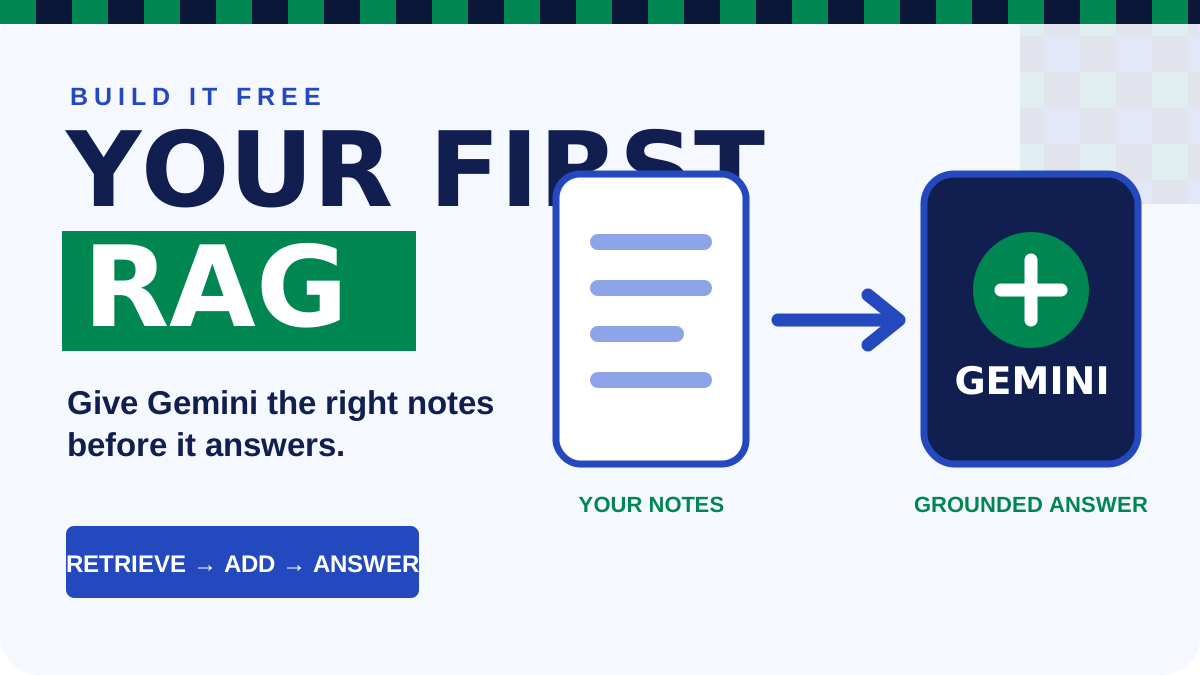
RAG sounds complicated. The first version is not.
You will build a small question-answering tool that searches your own text file, finds the most relevant passages, and gives those passages to Gemini before it answers. You do not need a paid vector database, a framework, or a powerful laptop.
By the end, you can replace the sample handbook with class notes, a business FAQ, public service instructions, or documentation for your own project.
## RAG in plain English
RAG means **retrieval-augmented generation**. It has three moves:
1. **Retrieve:** Find the parts of your notes that best match the question.
2. **Augment:** Add those passages to the prompt as context.
3. **Generate:** Ask the LLM to answer from that context.
You are not retraining the model. You are giving it the right evidence at the right moment.
Imagine your file says that laptop collection ends at 3:00 p.m. A normal chatbot may guess. A RAG app first retrieves the laptop paragraph, then answers with the time found in your file.
## What you need
- Node.js 18 or newer.
- A free Gemini API key from [Google AI Studio](https://aistudio.google.com/app/apikey).
- The [complete starter download](/demos/free-rag/naijahub-free-rag-starter.zip). It includes the code, sample knowledge, package file, and instructions.
- About 25 minutes.
Google currently lists Gemini 3.5 Flash-Lite and Gemini text embeddings as free of charge on its free tier. Limits still apply and can change, so check [Google's pricing page](https://ai.google.dev/gemini-api/docs/pricing) and your active limits in AI Studio.
## 1. Prepare the project
Download and unzip the starter. Open its folder in the VS Code terminal.
Install Google's official JavaScript library:
```bash
npm install
```
Do not paste your API key into the code. Keep it in an environment variable.
On macOS or Linux:
```bash
GEMINI_API_KEY="your-key" node rag.mjs "When can I borrow a laptop?"
```
On Windows PowerShell:
```powershell
$env:GEMINI_API_KEY="your-key"
node rag.mjs "When can I borrow a laptop?"
```
You should get a short answer plus the numbers of the passages the app retrieved.
Nothing in this starter requires a paid AI plan. The model, embeddings, code, and local storage are all free to start. If Google says you reached a rate limit, wait for the free allowance to reset; do not add billing just to finish this lesson.
## 2. See what the code is doing
First, the app splits `knowledge.txt` into small chunks. A real document may contain hundreds of ideas; retrieval works better when each searchable piece is focused.
Then Gemini's embedding model turns every chunk into a list of numbers:
```js
const response = await ai.models.embedContent({
  model: 'gemini-embedding-001',
  contents: chunk,
  config: { taskType: 'RETRIEVAL_DOCUMENT' },
});
```
An embedding represents meaning. Sentences about borrowing a laptop should sit closer together than sentences about demo day, even when they use different words.
The question becomes an embedding too. The script compares it with every chunk using cosine similarity and keeps the three closest matches.
Finally, it places those matches inside a strict prompt:
```text
Use only the supplied context.
If the answer is not there, say you cannot find it in the notes.

CONTEXT
[the three retrieved passages]

QUESTION
[the user's question]
```
Gemini 3.5 Flash-Lite writes the final answer. Setting a low temperature makes this evidence-based task less random.
## 3. Prove that retrieval matters
Ask three kinds of questions:
1. A direct question: `When is project clinic?`
2. A question using different words: `Can the club lend me a computer?`
3. Something absent: `Who is the club president?`
The third answer should say the information is not in the notes. That refusal is important: a useful RAG app should know when its evidence is missing.
Now change one fact in `knowledge.txt` and ask again. The answer should follow your file, not the model's memory.
## 4. Make it Nigerian and useful
Replace the sample file with one narrow collection you understand:
- A campus department FAQ.
- Instructions for a small shop's staff.
- Public information about one government service.
- Notes for one course or exam topic.
- Documentation for a Nigerian-language dataset.
Start with one audience and one job. “Answer every question about Nigerian education” is too wide. “Answer first-year students' questions about our department handbook” is buildable.
Use information you are allowed to upload. On Gemini's free tier, Google says inputs may be used to improve its products. Do not upload private student records, customer data, passwords, or confidential documents.
## 5. Know what to improve next
This starter recreates document embeddings every time it runs so you can see the whole process. A larger app should calculate them once and store them. After this version works, add one improvement at a time:
- Store embeddings in Supabase with pgvector.
- Let a user upload a text file.
- Display the retrieved passages beside each answer.
- Add source names and page numbers.
- Test ten known questions and record whether retrieval found the correct passage.
Do not begin with the database. Make the tiny version answer correctly first.
## Use free AI to change it
You do not have to understand every line before making the project useful. Open [Google AI Studio](https://aistudio.google.com/), attach `rag.mjs`, and paste this:
```text
I have a working beginner RAG script. Help me change it into a RAG assistant
for [describe my users and information]. Keep Gemini's free-tier models, do not
add a paid vector database, never put the API key in browser code, and make one
small change at a time. First explain the change, then show the exact code.
```
Replace the brackets with something narrow: “first-year engineering students using our department handbook” is better than “all Nigerian students.” Run the project after each change. If it breaks, paste the complete error into the same AI Studio conversation.
## The real lesson
An LLM becomes more useful when it can reach the right information. RAG is the bridge between a general model and the facts your school, business, or community actually cares about.
Build the two-file version. Ask it a question it can answer and one it cannot. Once both responses are correct, you have built RAG—not just watched somebody explain it.
### Official references
- [Gemini embeddings documentation](https://ai.google.dev/gemini-api/docs/embeddings)
- [Gemini API key guide](https://ai.google.dev/gemini-api/docs/api-key)
- [Gemini API pricing](https://ai.google.dev/gemini-api/docs/pricing)